
AI-Powered Configuration
My Claude provides a visual interface for managing every Claude Code configuration file. Stop editing JSON by hand. Configure models, permissions, MCP servers, memory, agents, skills, and hooks through a GUI - with AI-assisted creation that builds custom configurations from plain English descriptions.
Settings Sections
The Settings page is organized into tabbed sections:
Model
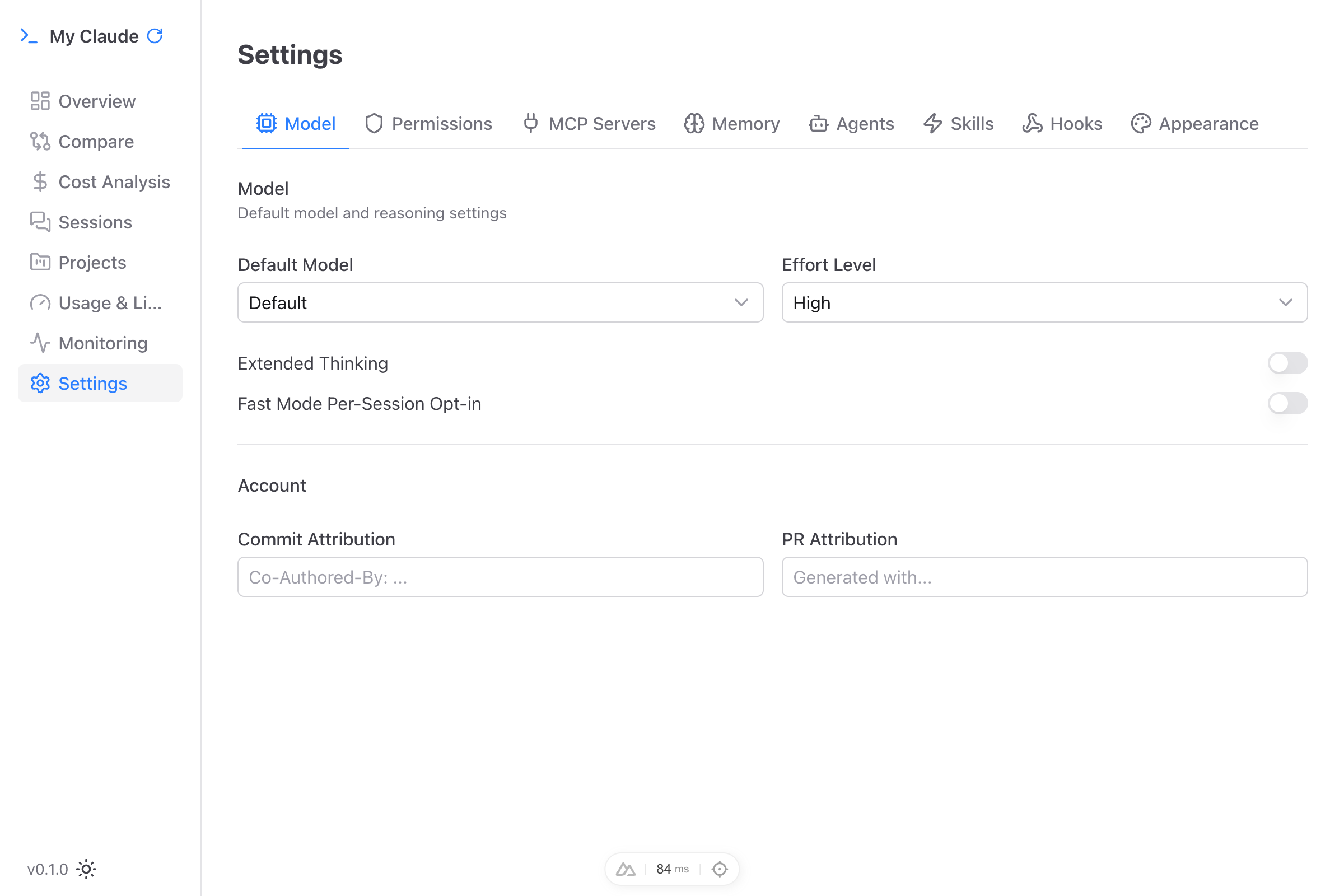
Configure your default Claude Code model and reasoning behavior:
- Model selection - Choose between Sonnet, Opus, Haiku, or Default
- Effort level - Set reasoning effort: Low, Medium, High, or Max
- Extended thinking - Toggle extended thinking mode on or off
- Fast mode - Enable faster responses per session
- Attribution - Configure how My Claude attributes commits and PR descriptions
Permissions
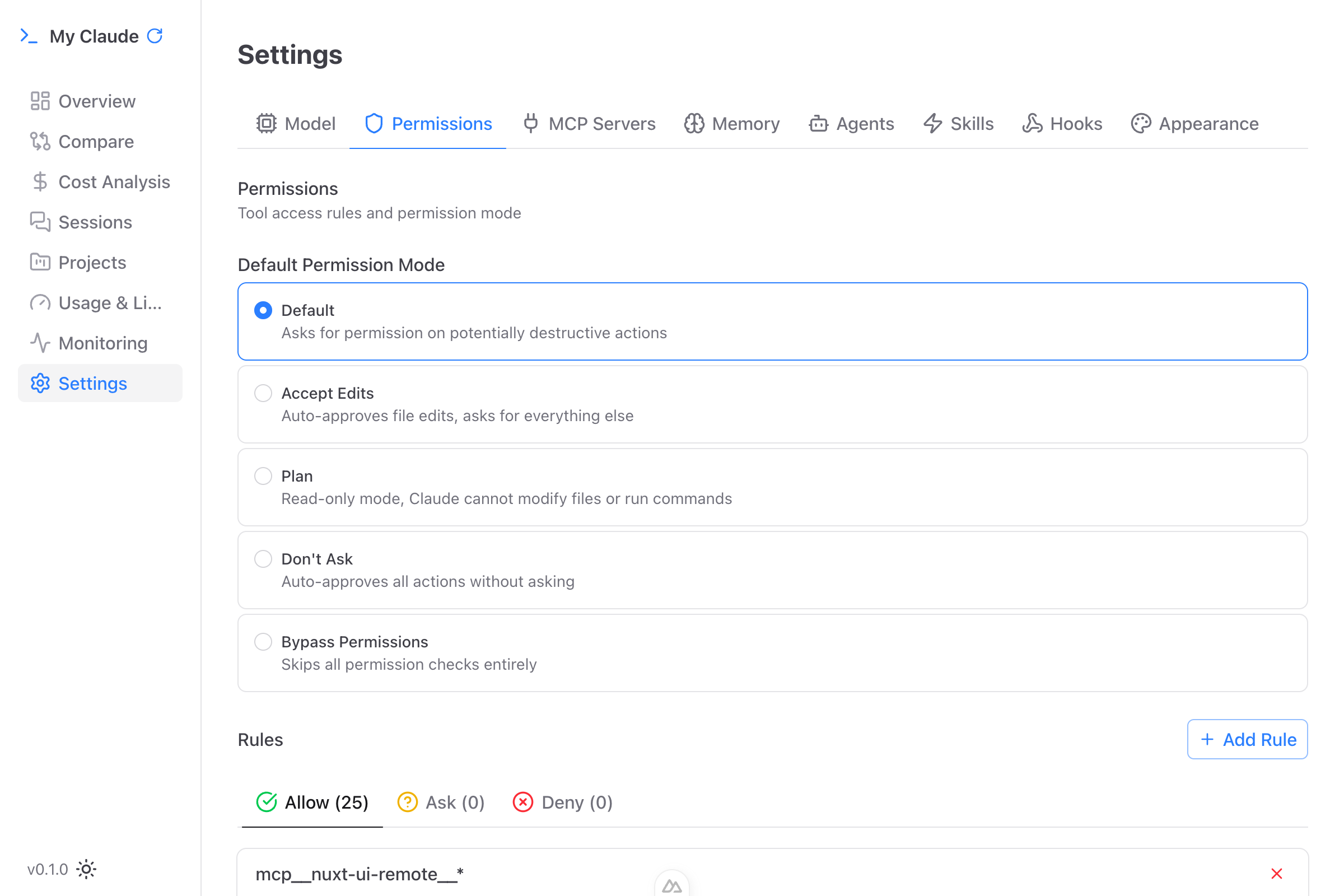
Manage what Claude Code is allowed to do. These map to the permissions configuration in your Claude Code settings.
Permission modes:
- Default - Standard permission prompting for each tool use
- Accept Edits - Automatically accept file edits without prompting
- Plan - Plan-only mode without executing changes
- Don't Ask - Approve all tool use without prompting
- Bypass Permissions - Skip all permission checks
Beyond modes, configure granular allow/ask/deny rules per tool and folder. Set additional trusted directories for file system access.
MCP Servers
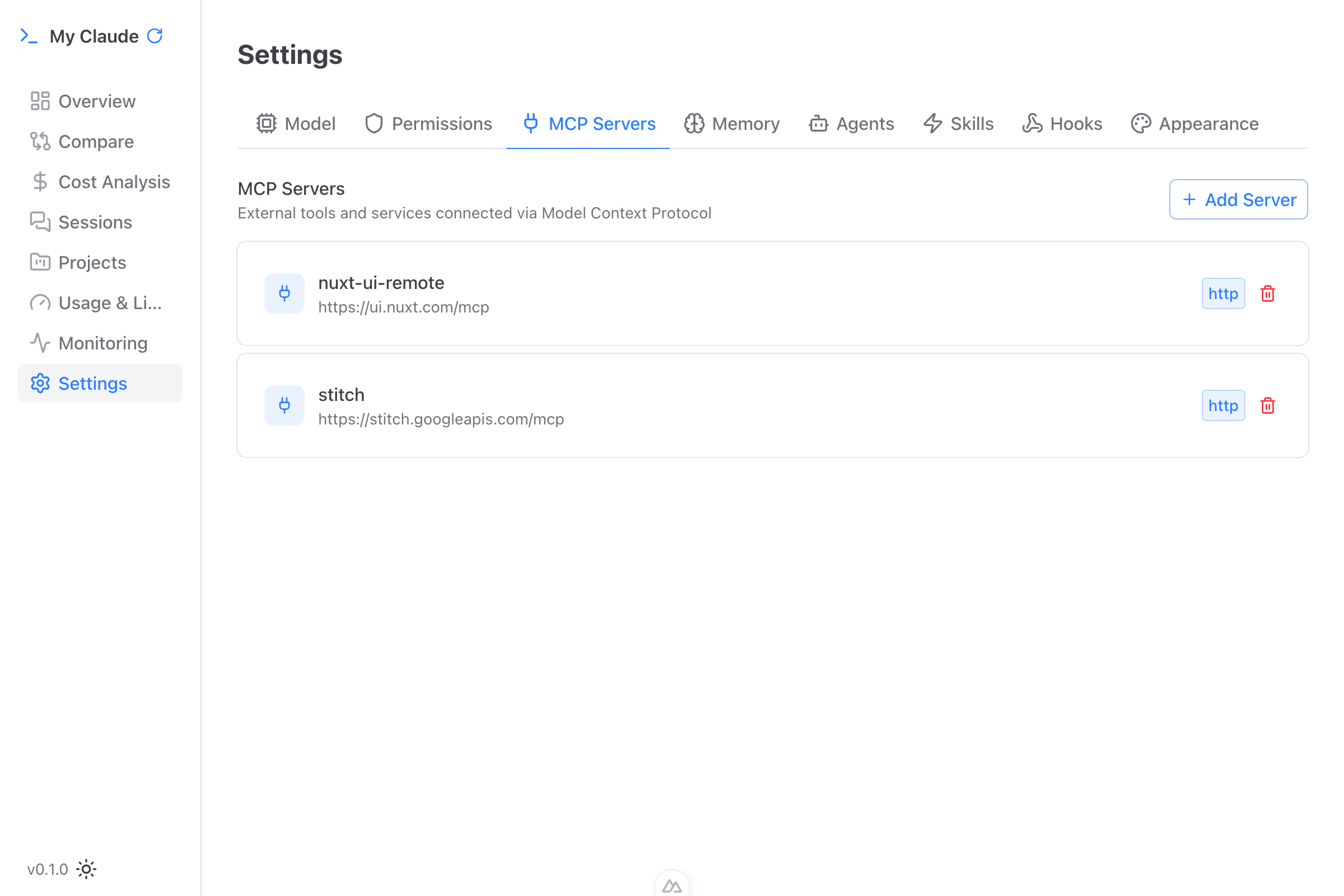
View and manage your MCP (Model Context Protocol) server configurations. MCP servers extend Claude Code with external tools. Three connection types supported:
- NPM Package (stdio) - Run an npm package as a tool server
- HTTP - Connect to an HTTP-based MCP server
- SSE - Connect via Server-Sent Events
Add servers with one-click, configure environment variables, and remove servers instantly.
Memory
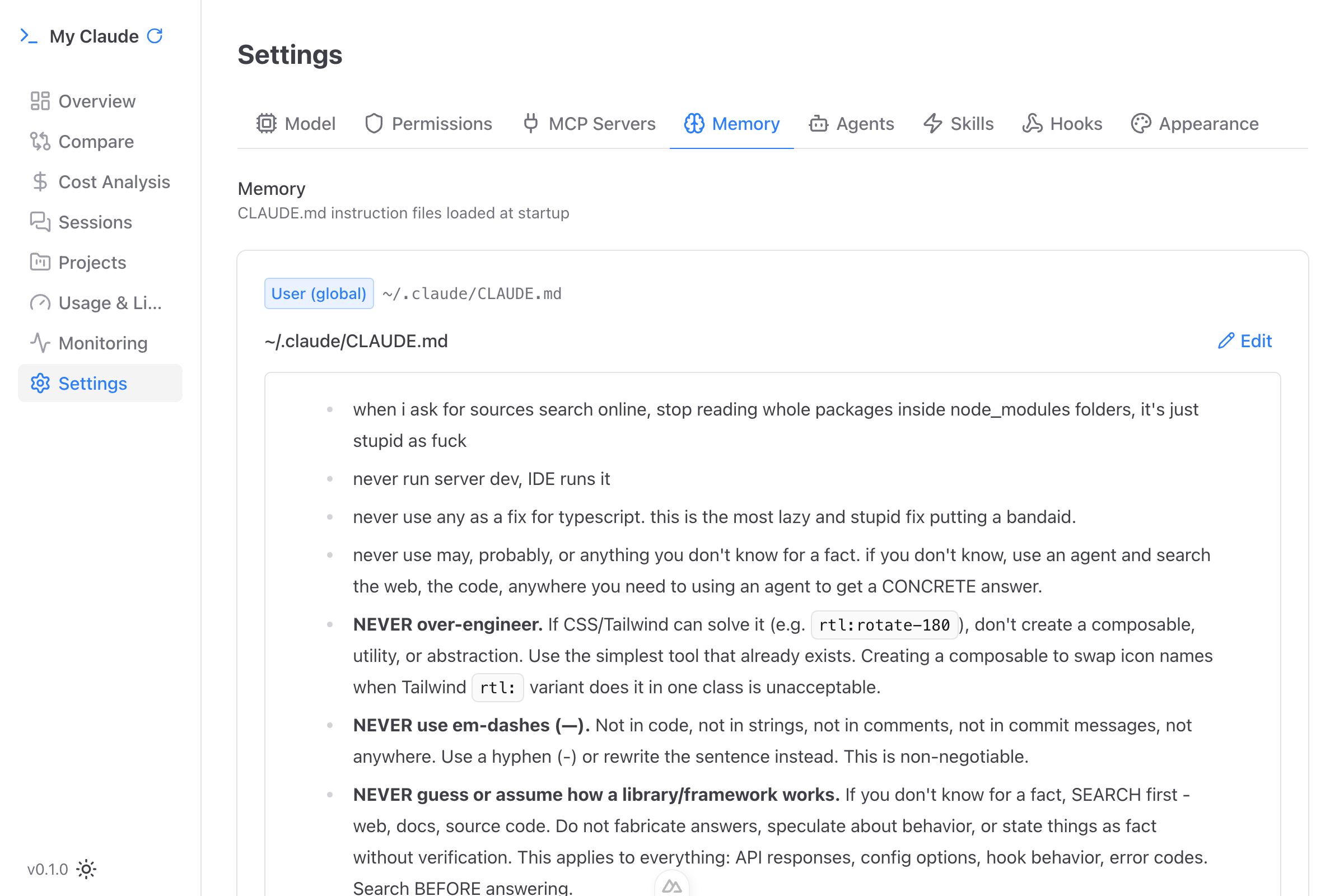
View and edit your Claude Code memory files (CLAUDE.md) across three scopes:
- User (global) - Instructions that apply to all your projects
- Project - Instructions specific to a project (tracked in git)
- Project (local) - Project instructions not tracked in git
The built-in markdown editor includes a formatting toolbar (bold, italic, code, headings, lists, blockquotes, links) and an "Update with AI" button. Tell it "make this more concise" or "add a rule about testing" and AI rewrites the content for you.
Agents
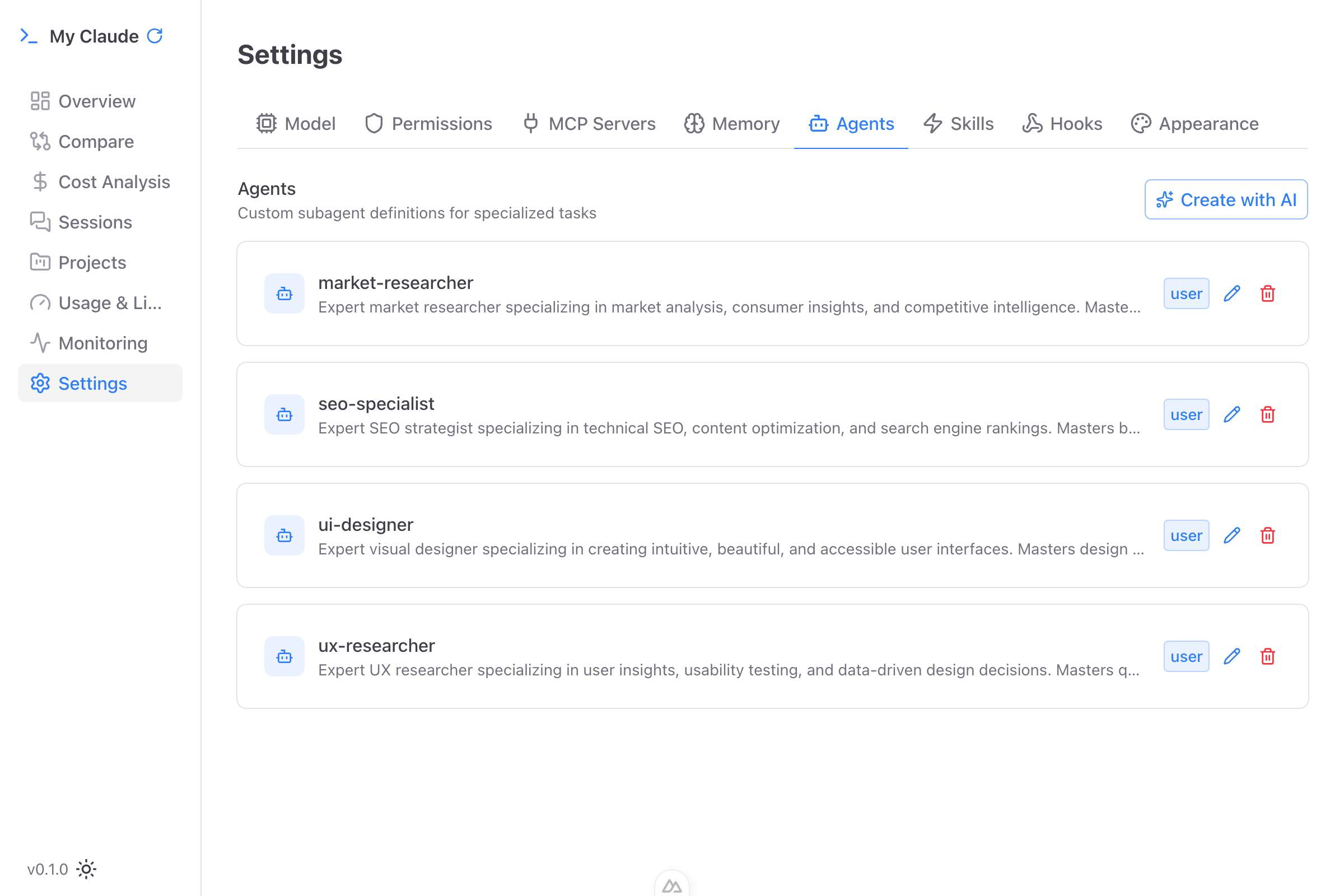
Browse and manage custom agents defined in ~/.claude/agents/. Agents are specialized configurations for specific tasks with per-agent model selection and tool allowlists.
AI-assisted creation: Click the sparkles icon, describe what you want the agent to do in plain English (e.g., "Create an agent that reviews code for security vulnerabilities"), and My Claude generates the full agent definition. Preview before saving.
Agents can be scoped to user-level or project-level.
Skills
Manage custom skills defined in ~/.claude/skills/. Skills are reusable capabilities that Claude Code can invoke, defined as Markdown files with YAML frontmatter. Each skill can be marked as user-invokable (triggered with /skillname) or internal.
Like agents, skills support AI-assisted creation - describe the skill you need and My Claude generates it.
Hooks
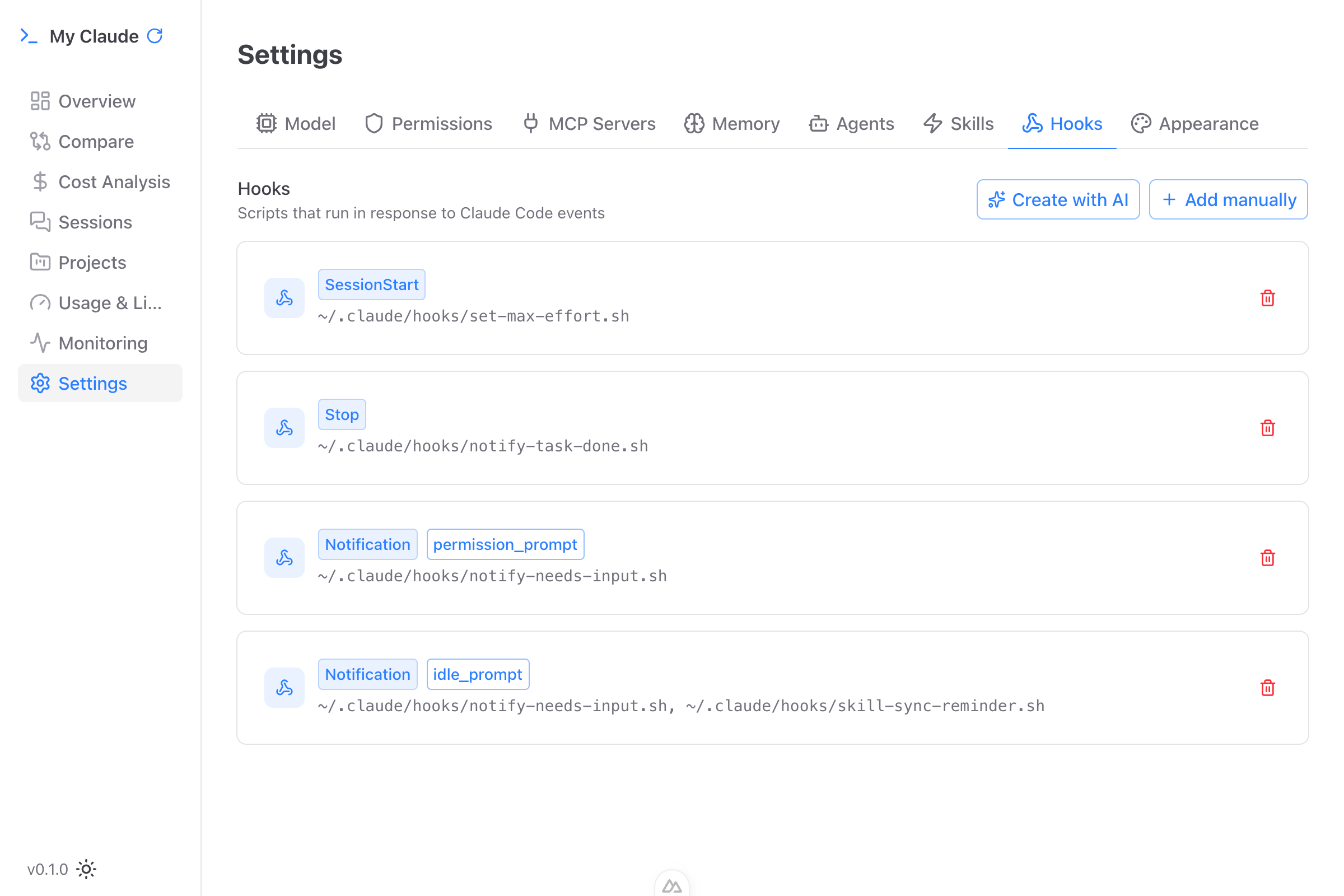
Configure Claude Code hooks - scripts that run at specific points during Claude Code execution. Supported hook events:
- PreToolUse - Before a tool is used
- PostToolUse - After a tool completes
- PostToolUseFailure - After a tool fails
- SessionStart - When a session begins
- SessionEnd - When a session ends
- UserPromptSubmit - When you submit a prompt
- Stop - When Claude finishes a task
- PermissionRequest - When Claude asks for permission
- Notification - When Claude sends a notification
- SubagentStart / SubagentStop - When subagents spawn or finish
- PreCompact - Before context compaction
Each hook supports command or HTTP handlers with optional timeout, status messages, and pattern matching for conditional triggers.
AI-assisted creation: Describe the automation you want (e.g., "When Claude finishes, run the test suite") and My Claude generates the hook configuration.
Appearance
Customize the visual appearance of My Claude, including theme preferences (light, dark, auto).
Configuration Files
My Claude reads and writes to the standard Claude Code configuration files:
| File | Purpose |
|---|---|
~/.claude/settings.json | User global settings |
~/.claude/settings.local.json | User local overrides |
~/.claude.json | Runtime state |
~/.claude/agents/*.md | Agent definitions |
~/.claude/skills/*/SKILL.md | Skill definitions |
.claude/settings.json | Project settings |
.mcp.json | Project MCP servers |
Changes made through the GUI are written directly to these files. There is no separate configuration layer - what you see is what Claude Code reads.